Search for "free certificate templates" and you will find thousands of results - which is exactly the problem. Most of them are static images built for printing one certificate at a time, not for issuing certificates to a whole class, cohort, or event. This guide cuts through the noise: where to actually find good free templates, how to tell a usable one from a throwaway, and how to turn a single template into hundreds of personalized certificates.
What Counts as a Good Free Certificate Template
Price is the least interesting thing about a template. A free template is good if it does these things well:
- Puts the recipient's name front and center as the visual focal point
- Has clear space for the achievement, date, and signature
- Leaves room for your logo without looking cluttered
- Can carry a verification QR code so the certificate is checkable
- Reads cleanly at both screen size and print size
If a template nails those, free is more than enough. If it fails them, no amount of paid polish will save it.
Where to Find Free Certificate Templates
There are three broad sources, each with trade-offs:
| Source | Best for | Watch out for |
|---|---|---|
| Certificate platforms | Issuing to many people, verification | Some lock features behind paid tiers |
| Design tools (general) | One-off custom designs | Manual personalization, no verification |
| Office software (Word, Google Docs/Slides) | Quick single certificates | Hard to scale, looks generic |
For a single award you are printing once, office software is fine. But the moment you need to issue to a group - a class, a webinar audience, a training cohort - a certificate platform wins because the template is built for bulk personalization. For a curated set of designs by occasion, see our roundup of free certificate templates for any occasion.
Free vs Paid Templates: What Actually Differs
The honest answer is that the difference is smaller than most people expect. Free templates cover the overwhelming majority of real use cases. Paid templates mainly add design variety and advanced branding controls.
What matters far more than the price tag is how you use the template. A free template, personalized properly and delivered with verification, looks more professional than an expensive template emailed as a generic, unverified image. We break this down fully in free vs premium certificate templates.
Template Types by Use Case
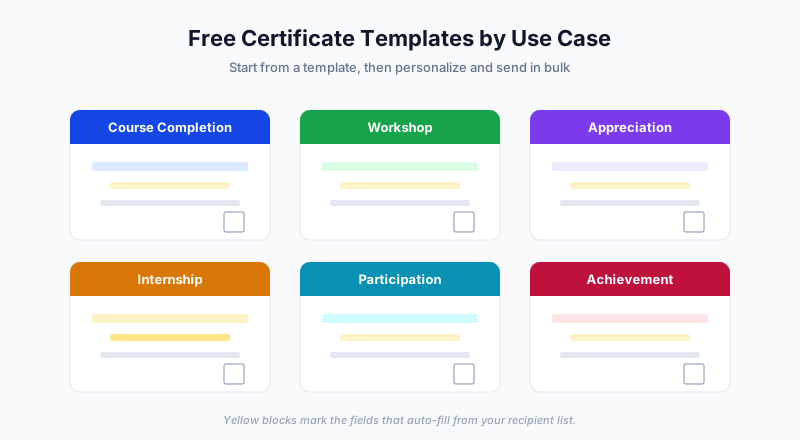
Match the template to the occasion - the wording and tone should fit:
- Course completion - for online courses, training, and classes
- Workshop and seminar - for shorter, event-based learning
- Participation and attendance - for showing up and engaging
- Appreciation and recognition - for volunteers, employees, and contributors
- Internship - for completed internships, with role and duration
- Achievement and excellence - for performance above a standard
Using an "achievement" template for simple attendance, or vice versa, is one of the most common mistakes - the words on the certificate should match what the person actually did.
How to Customize a Template Properly
Once you pick a template, personalize it without wrecking the design:
- Add your logo in a corner or centered at the top - keep it modest
- Set your brand color for accents, not the entire background
- Choose readable fonts - one for headings, one for body, and stop there
- Keep the name dominant - it should be the largest text after the title
- Add a signature and date for legitimacy
- Include a QR verification code so the certificate can be checked
Resist the urge to fill every empty space. Whitespace is what makes a certificate look premium. For deeper design guidance, read how to design professional certificates.
From One Template to Hundreds of Certificates
This is where a free template becomes genuinely powerful. Instead of editing the template once per person, you fill it automatically from a list:
- Pick your free template
- Put your recipients in a spreadsheet - name, email, and any custom fields
- Upload both to SendCertificates
- Each row becomes a personalized certificate, complete with a QR code
- Every recipient gets theirs by email
One template, one upload, hundreds of finished certificates. That is the difference between a template you print and a template you issue.
Free Template Mistakes to Avoid
- Using a low-resolution image that looks blurry when printed or zoomed
- Mismatched wording - "achievement" for plain attendance
- No verification - a template with nowhere for a QR code dates badly
- Overloading the design with clip art and borders
- Hard-coding one name instead of using placeholders for bulk issuance
Getting Started
A free certificate template is only the starting point. The value comes from choosing one that fits the occasion, personalizing it cleanly, and issuing it with verification to everyone who earned it.
SendCertificates includes ready-to-use templates and 50 free credits, so you can pick a template, upload your recipient list, and send personalized, QR-verified certificates without paying for design software.
Related Guides
Tags