Issuing a credential is no longer about designing a file and emailing it. In 2026, organizations manage credentials across a full lifecycle - issue, store, verify, and analyze - and that is what a digital credential management platform is built to do. This guide explains what these platforms actually do, the features that matter, and how to compare them so you pick the right one.
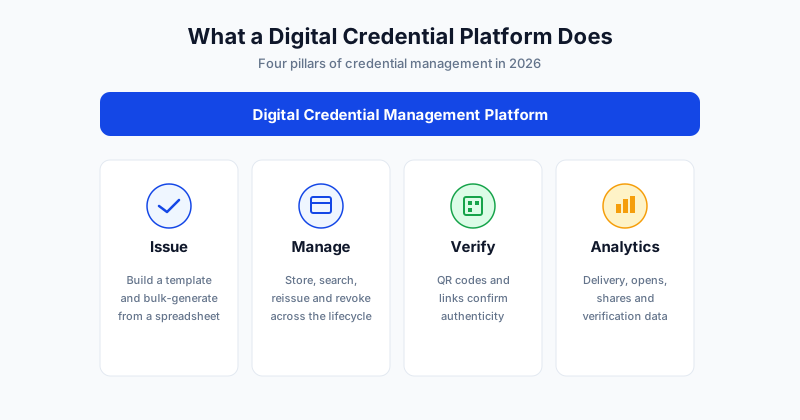
What a Digital Credential Management Platform Does
A digital credential management platform is software that handles credentials from creation through verification. Instead of a designer building certificates by hand and an admin emailing them one by one, the platform automates the whole process and keeps a record of every credential issued.
The term "credential" is broad on purpose. It covers formal certificates, compact digital badges, and other proofs of achievement. The platform's job is to issue these at scale, store them securely, make them verifiable, and give you data on how they are used. If you want the distinction between the two main formats, see our guide on the digital certificate vs digital badge difference.
The Four Pillars: Issue, Manage, Verify, Analytics
Every capable platform is built on the same four pillars. When you evaluate tools, map their features back to these.
| Pillar | What it covers | Why it matters |
|---|---|---|
| Issue | Template builder, bulk generation, email delivery | Speed and accuracy at volume |
| Manage | Secure storage, search, reissue, revoke | Control over the full credential lifecycle |
| Verify | QR codes, verification links, public records | Trust - anyone can confirm authenticity |
| Analytics | Delivery, opens, shares, verification activity | Proof of reach and program value |
A tool that does only one pillar well is a point solution. A genuine credential management platform does all four, which is what lets you run a credentialing program rather than just generate files.
Issue: Creating Credentials at Scale
The first pillar is creation. A strong platform lets you design a branded template once, then issue from a spreadsheet of recipients so each person gets a personalized credential. Five hundred recipients should take the same effort as five.
Key things to look for in the issue pillar:
- Template builder with placeholder fields that fill automatically from your data
- Bulk generation from an Excel or CSV upload
- Personalized email delivery so each credential reaches the right inbox
- Reusable templates so future batches are fast
This is where most of the day-to-day time savings come from. With SendCertificates, you upload a recipient list, map columns to your template, and generate the entire batch in one pass.
Manage: Storing and Controlling Credentials
Issuing is only the start. Over time you accumulate thousands of credentials, and you need to find, reissue, and sometimes revoke them. The manage pillar is the system of record.
Good management features include a searchable archive of everything you have issued, the ability to reissue a credential if a recipient loses it, and revocation for credentials that should no longer be valid. This lifecycle control is what separates a platform from a one-off generator and is essential for any program that must stand up to scrutiny.
Verify: Making Credentials Trustworthy
A credential is only as good as the trust behind it. The verify pillar is what lets a third party - an employer, a licensing board, a client - confirm that a credential is genuine without contacting you.
The standard mechanism in 2026 is a unique QR code or verification link attached to each credential. Scanning or clicking it shows the credential's authenticity and details from the issuer's records. This single feature does more for credibility than any visual design choice, because it makes forgery pointless. For a deeper look, read our guide on QR-verified certificates and why they matter.
Analytics: Measuring Credential Programs
The fourth pillar is often overlooked but increasingly expected. Analytics turn a credentialing program from a cost into something you can measure.
Useful metrics include:
- Delivery and open rates - did recipients actually receive and view their credential?
- Verification activity - how often are credentials being checked?
- Sharing - are recipients posting credentials publicly?
This data shows the reach of your program and justifies the investment to stakeholders. A program you can measure is a program you can improve.
How to Compare Platforms in 2026
With the pillars in mind, comparison becomes a matter of matching features to your needs rather than chasing the longest feature list. Weigh these factors:
| Factor | Question to ask |
|---|---|
| Volume | How many credentials do you issue, and how fast can the tool generate them? |
| Verification | Does each credential get a QR code or verification link? |
| Branding | Can you fully brand templates with your logo and colors? |
| Ease of use | How quickly can a non-designer issue a batch? |
| Pricing | Does the cost scale sensibly with your volume? |
Do not over-buy. A small team certifying a few hundred people a year needs different things than a university issuing tens of thousands of credentials. For a side-by-side of leading tools, see our roundup of the best certificate management software for 2026.
Getting Started
A digital credential management platform earns its place by covering all four pillars - issue, manage, verify, and analytics - rather than just generating files. Match those capabilities to your volume and verification needs and the right choice becomes clear.
SendCertificates covers the full lifecycle: build a branded template, bulk-issue from a spreadsheet, attach QR verification to every credential, and track delivery - with 50 free credits to start.
Related Guides
Tags