Earning a certificate is worth celebrating, but a blank Share button can leave you staring at the screen wondering what to actually type. The right caption turns a quiet upload into a post that gets comments, congratulations, and even opportunities.
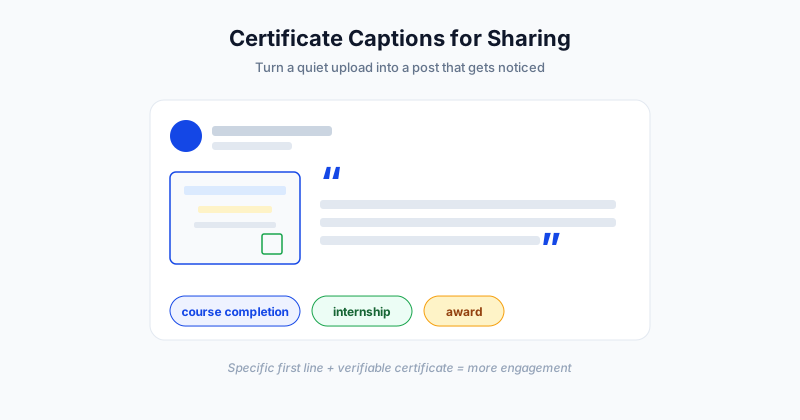
This guide gives you copy-ready certificate captions for different situations, a handful of inspirational quotes, and a few simple rules for writing a caption that actually gets noticed.
Why Your Certificate Caption Matters
A certificate is proof you did the work. The caption is how you tell the story around it. On platforms like LinkedIn, the post is what shows up in feeds, gets reactions, and signals to your network what you are growing into. A thoughtful caption does three things at once: it shares the win, it shows what you value, and it invites people to engage.
The good news is that you do not need to be clever or poetic. You need to be clear, specific, and a little bit human. Below are examples you can copy, tweak, and post in under a minute.
Copy-Ready Captions by Situation
Different achievements call for slightly different tones. Here are short, professional captions grouped by the most common contexts.
Course Completion
- "Just completed my [Course Name] certification. Excited to put these new [skill] skills to work."
- "Another one in the books - officially certified in [topic]. Grateful for the late nights and the lessons learned along the way."
- "Proud to share that I have completed [Course Name]. On to applying it."
Internship
- "Wrapping up an incredible internship at [Company]. Walking away with this certificate and a notebook full of lessons."
- "Honored to receive my internship completion certificate from [Company]. Thank you to the team that taught me so much."
Workshop
- "Spent the weekend at the [Workshop Name] workshop and came away certified - and inspired. Highly recommend it to anyone in [field]."
- "New certificate, new tools, new ideas. Thanks to [Organizer] for a hands-on [topic] workshop."
Award and Recognition
- "Humbled and grateful to receive the [Award Name]. This one means a lot."
- "Thank you to [Organization] for this recognition. Sharing it with everyone who supported me along the way."
A Quick Reference Table
If you want to match the right tone to the moment, this table makes it easy.
| Context | Tone | Caption starter |
|---|---|---|
| Course completion | Confident, forward-looking | "Officially certified in..." |
| Internship | Grateful, reflective | "Walking away with..." |
| Workshop | Energetic, recommending | "Came away certified and inspired..." |
| Award | Humble, appreciative | "Honored to receive..." |
| Professional credential | Direct, credibility-first | "Added [credential] to my profile..." |
Pick the row that matches your moment, then add one specific detail. Specificity is what separates a memorable post from a generic one.
Inspirational Quotes to Pair With Your Certificate
A short quote can frame your achievement nicely. Use one, not three, and make sure it fits the win.
- "Success is the sum of small efforts repeated day in and day out."
- "The expert in anything was once a beginner."
- "Learning never exhausts the mind."
- "Strive for progress, not perfection."
- "An investment in knowledge pays the best interest."
Drop the quote at the start or end of your caption, then follow it with your own line so the post still sounds like you.
How to Write a Caption That Gets Noticed
A few simple habits make any certificate post perform better:
- Start specific. The first line is the hook. "Certified in data analytics" beats "Happy to share some news."
- Name the skill or program. Tell people exactly what you learned, not just that you finished something.
- Add one human line. A quick reflection on the challenge or what is next makes the post relatable.
- Tag and hashtag carefully. Tag the issuing organization and add two or three targeted hashtags, not ten.
- Show the certificate. A clean image matters, and a verifiable certificate with a QR code or link adds instant trust.
That last point is where the certificate itself does heavy lifting. When the credential you share can be verified in one click, your post reads as proof rather than a graphic. Platforms like SendCertificates issue certificates with built-in verification, so the certificate you attach to a post stands up to scrutiny.
Tailor the Caption to the Platform
The same achievement reads differently depending on where you post it, so adjust the tone to fit.
- LinkedIn rewards a professional, skill-focused note. Lead with the credential, mention what you can now do, and tag the issuer. This is the best place to add a verifiable certificate.
- Instagram favors a personal, visual angle. A short, upbeat line with the certificate image and a few hashtags works well.
- X (Twitter) is built for brevity. One punchy sentence and a single hashtag is plenty.
- Facebook suits a warmer, story-driven caption since your audience is often friends and family.
Whatever the platform, the certificate image and a specific opening line do most of the work. A quick reflection on the journey helps the post feel genuine rather than promotional.
Common Caption Mistakes to Avoid
- Being vague. "Excited about this!" tells the reader nothing.
- Overloading hashtags. A wall of tags looks like spam.
- Forgetting the image. A caption with no certificate visible loses its punch.
- Sounding like a press release. Write the way you talk.
- Skipping the next step. A line about what you will do with the skill invites conversation.
Keep it short, keep it honest, and let the achievement speak.
Put It All Together
The best certificate caption is specific, genuine, and paired with a clean, verifiable image of your credential. Use the examples above as starting points, swap in your details, and you will have a post ready in under a minute.
If you issue certificates for a course, event, or program, SendCertificates lets you create verifiable certificates your recipients will be proud to share - and you can start with 50 free certificate credits to try the full workflow.
Related Guides
Tags